Reviewing detected vulnerabilities
Last updated: August 14, 2026
The Vulnerabilities section brings together every finding surfaced by threat emulations, giving you visibility into each asset's exposure and helping you prioritize remediation.
Every vulnerability represents a validated risk, ready to be analyzed and managed.
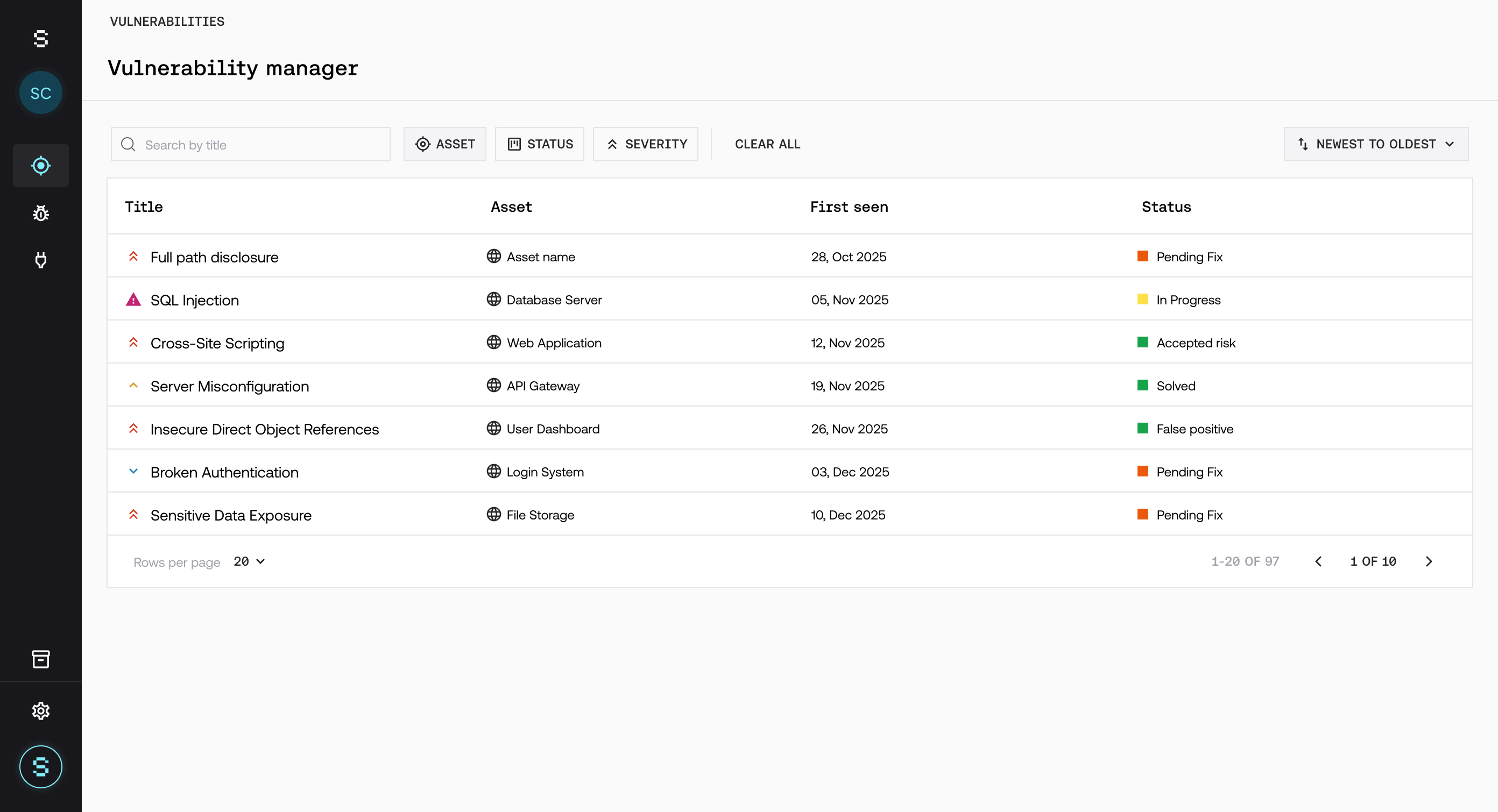
Overview of vulnerabilities
From this section you can:
See every detected vulnerability
Filter by severity, status, or asset
Quickly spot the most critical risks
Prioritize based on real impact
👉 This lets you focus your efforts where they matter most.
Key information
Each vulnerability includes:
Severity (Critical, High, Medium, Low)
Current status
Affected asset
Detection date
Evidence and remediation guidance
👉 This information makes it easy to understand the risk at a glance.
Prioritizing vulnerabilities
Not every vulnerability carries the same weight.
To prioritize effectively:
Focus on critical and high-severity findings
Assess the asset's real exposure
Factor in business context
👉 Priority isn't driven by severity alone — it's driven by impact.
Best practices
✔ Review vulnerabilities on an ongoing basis ✔ Prioritize by real risk, not by volume ✔ Start with your most critical assets
A solid review process reduces exposure and helps you respond more effectively to real risks.