How the Pre-flight Check works on an asset
Last updated: July 7, 2026
The Pre-flight Check is an automatic validation that Strike runs before every threat emulation to verify that your asset is ready to be tested. It checks that the asset is reachable from Strike's infrastructure and that the configured credentials are valid. If it detects any issue, it notifies you and tells you how to resolve it.
This article explains when the check runs, what it verifies, the possible states, and what to do when something fails.
When the check runs
Before every threat emulation: the check runs and its result appears on screen before testing begins.
Before every scheduled recurrent execution: it runs automatically one week before the execution date, giving you time to resolve any issues.
What gets verified
The check runs two groups of validations:
Group | What it validates |
|---|---|
Reachability & Accessibility | That the asset exists, responds, and is reachable from Strike's infrastructure. Includes DNS, IPs, geographic restrictions, and protection layers such as WAFs. |
Authentication | That the configured credentials are valid and allow authentication. If no credentials are set, the system continues in black-box mode. |
Pre-flight Check states
The result of the check is displayed as a badge next to the asset's name, visible both in the assets list and in the detail view of each asset.
Badge | What it means | Tooltip |
|---|---|---|
VERIFYING… | The check is currently running. | — |
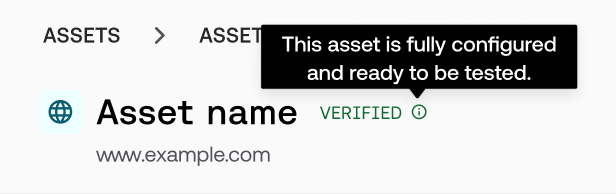
VERIFIED ✓ | All good. The asset is ready to be tested with full coverage. | This asset is fully configured and ready to be tested. |
LIMITED ⓘ | Testing can run, but there are active limitations (for example, WAF detected, no credentials). | Test will run, but some configuration issues may limit results. |
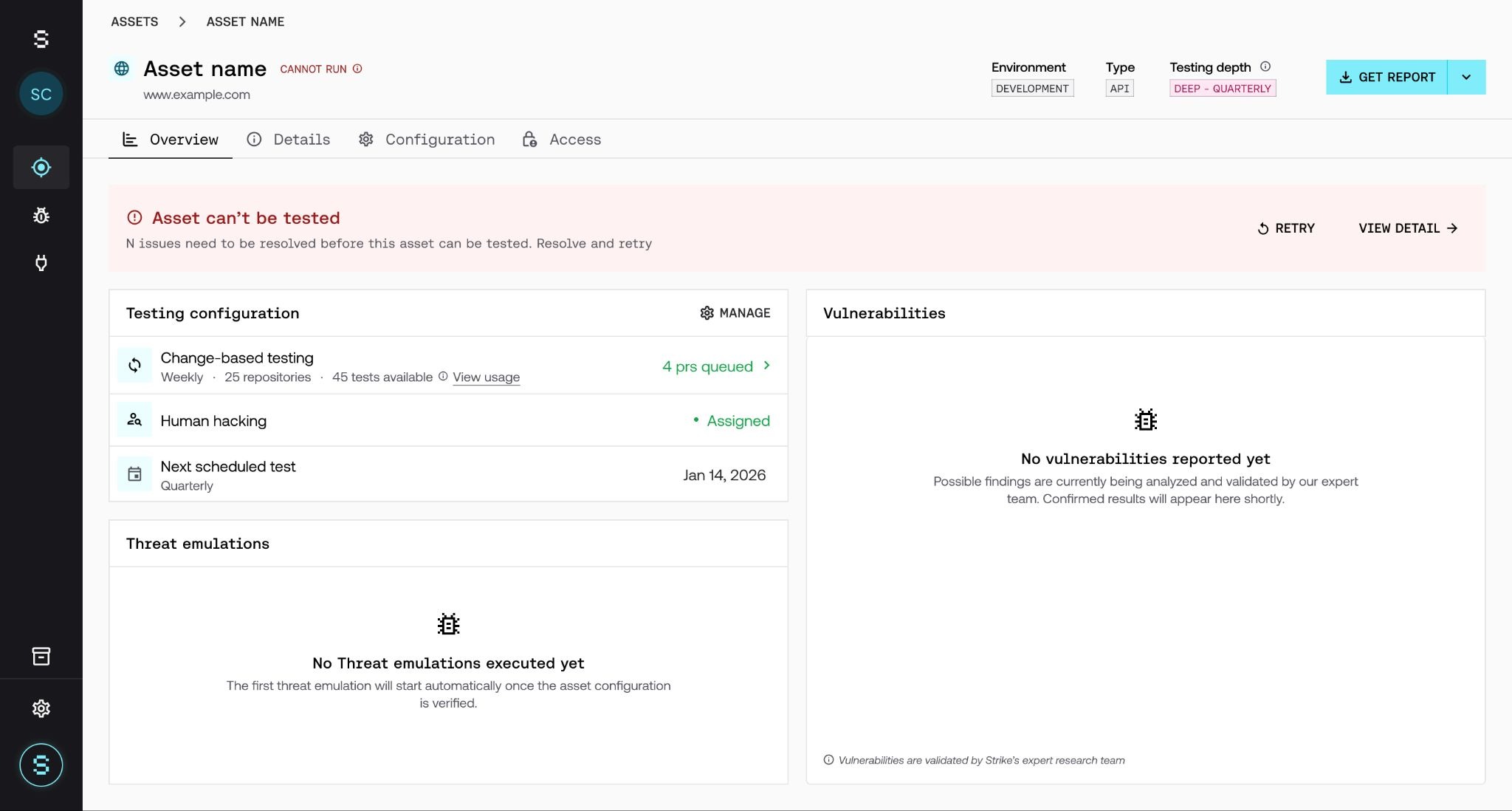
CANNOT RUN ⚠ | There are one or more blocking issues. Testing cannot start until they are resolved. | Unable to run tests due to configuration issues. |
What blocks testing and what limits it
Not all issues have the same impact. There are two categories:
🚫 Blocking issues: testing does not start
The asset is unreachable or DNS does not resolve.
Access from Strike is blocked (IP restriction or geographic restriction).
Credentials are configured but invalid, or authentication fails.
⚠ Limiting issues: testing runs with reduced coverage
A WAF was detected, but execution can still proceed.
No credentials are configured on the asset; the test continues in black-box mode.
Rate limiting or TLS issues were detected; testing proceeds with minor limitations.
ℹ Blocking issues activate the Retry button. Limiting issues do not require immediate action, but resolving them improves test coverage.
What to do when something fails
When there is a blocking issue, testing does not start. You can see the details by clicking on the badge or on the error banner that appears on the asset. A panel opens with the description of the issue, the cause, and the steps to resolve it.
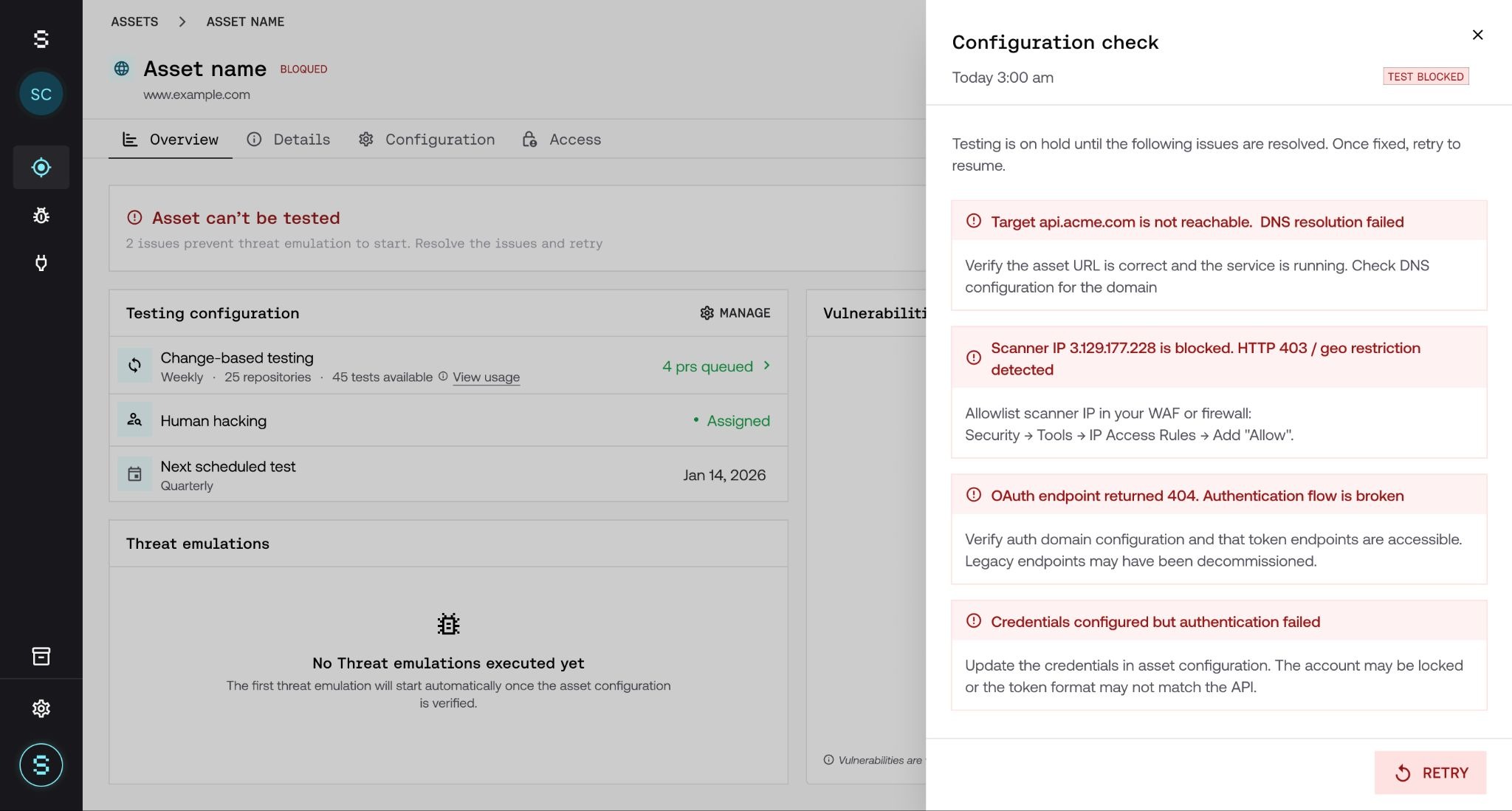
The most common issues and how to resolve them:
Asset unreachable or DNS fails: check that the URL is correct and that the service is up.
Strike IP blocked: configure your firewall or WAF to allow the scanner's IPs.
Invalid credentials: update the credentials in the asset's configuration and retry.
Frequently asked questions
Does the check interrupt a test that is already running?
No. The check always runs before testing starts. If it fails, testing simply does not begin; it does not cancel anything that is already running. What can happen is that, mid-execution, the asset develops an issue; in that case, testing will be interrupted and we'll let you know what happened.
What do I do once I've resolved a blocking issue?
Once the blocking issues are resolved, trigger a manual retry from the asset panel. It's the fastest way to resume testing.
I have a WAF as a compliance requirement. Will it block me?
No. If a WAF is detected, testing still runs, but you'll see a notice indicating that a WAF was detected and that coverage may be limited. You don't need to do anything; the system logs it automatically and continues.
Can I exit black-box mode?
Yes, at any time from the asset's configuration. Once you add credentials, the check validates them automatically the next time it runs.
Does the Pre-flight Check detect vulnerabilities?
No. It only verifies whether the asset is in a state to be tested. Security analysis and vulnerability detection are the job of threat emulations.